
Get started with AB Tester
2 min read
AB Tester lets you try changes to your website on real visitors, measure which version gets more of what you want — sign-ups, purchases, clicks — and then give the winner to everyone.
A/B testing, also called split testing, shows two or more versions of a page to different visitors at the same time. Each visitor is put into one version at random and stays in it on every later visit. Because the only difference between the groups is the version they saw, a difference in what they then do — subscribing, buying, clicking — is down to that version and not to the time of day, the weather or a sale running elsewhere.
The words AB Tester uses
Section titled “The words AB Tester uses”| Word | What it means |
|---|---|
| Client | A company or brand. An agency has one per customer; most teams have one. |
| Project | One website, with its own snippet, experiments and metrics. |
| Experiment | One test: what changes, for whom, and what counts as success. |
| Variant | One version in an experiment. The control is the page as it is today, so there is something to compare against. |
| Metric | What counts as a conversion: a click, a page reached, a purchase. Each experiment has one primary metric, which decides the result. |
| Targeting | Which visitors and which pages an experiment runs for. |
| Snippet | The two lines of code on your site that let AB Tester show variants and record what visitors do. |
How it works
Section titled “How it works”The snippet loads on every page of your site. It downloads your project’s current set of experiments, decides in the visitor’s browser which ones apply to this page and this visitor, and makes the variant’s changes before the visitor interacts with the page. It records that the visitor saw the experiment and, later, any conversion. The Results tab counts visitors, not page views, so someone who reloads ten times is still one visitor.
When you change an experiment in the dashboard — start it, edit a variant, pause it — AB Tester publishes the new set of experiments, and visitors pick it up on their next page. The snippet sets no cookies; it keeps the visitor’s ID in the browser’s local storage.
Build an experiment in six steps
Section titled “Build an experiment in six steps”Once your account and snippet are set up, every experiment follows the same path:
- Create the experiment — a name, a type and the idea you are testing.
- Add the variants — the control and at least one change.
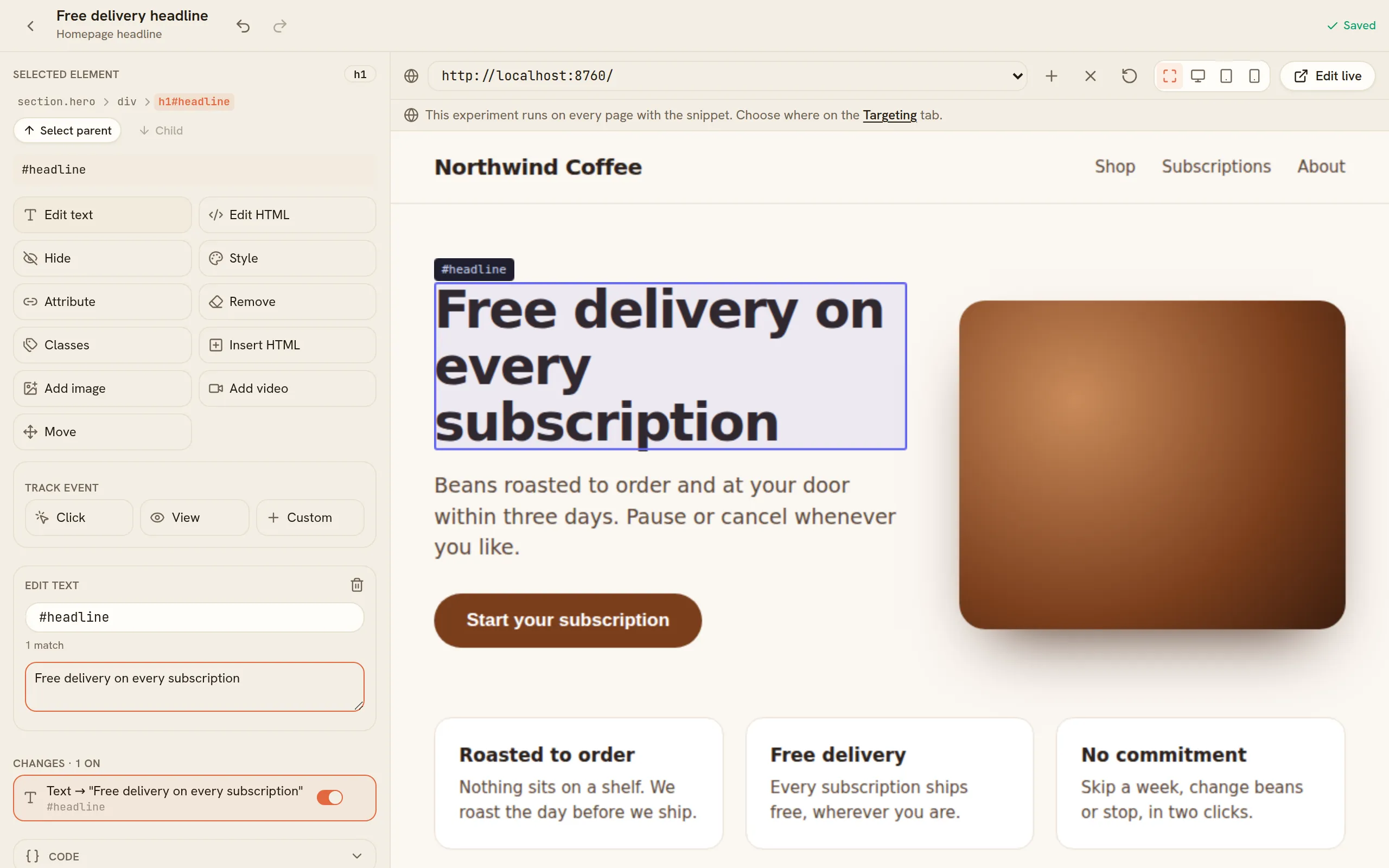
- Make the change in the visual editor, on your real page.
- Choose a metric — what counts as a conversion.
- Decide where it runs — the pages and visitors it is for.
- Start it, then read the results.